꧁༒☬ 𝕐𝕠𝕦𝕣 ℕ𝕒𝕞𝕖 ☬༒꧂ ➜⭐ 𝒮𝓉𝓎𝓁𝒾𝓈𝒽 Nickname
Stylish Nickname is a fancy text tool that helps you create unique, eye-catching name and nicknames. It creates fancy text styles by combining symbols, emojis, kaomojis, and unique characters. It
takes your normal text and transform it by changing your font to bold, italic, and other creative styles, and
adds decorative elements like symbols, kaomojis, emojis, and object symbols like star, heart, fire, cold, tree, sun, smile emoji, sad emoji and so on. When all of
them comes together it generates unique, stylish nicknames just for you.
Why Should You Use Stylish Nickname?
Because, We are mainly focused on name and nicknames. We know that most of the users are looking fancy names and nicknames for
gaming or social media platforms. You mush have seen many people to use nicknames or social media bios with different fancy text styles, sometimes with
symbols or decorative fonts. If you want that then this website stylish nickname is best for you.
Our stylish nickname tool creates unique nicknames that you can use it on social media platform for usernames, Messages, Instagram Bios or on Popular games like PUBG, Free Fire, Call
of Duty, and other online games for nicknames, usernames or names. You can also use it on platforms like Discord, these nicknames really looks cool.
Use Stylish Nickname without Installing any software
One of the biggest reasons to use this website is that it's built on Unicode, which means it works on almost every
device. You don't need to download or install any kind of softwares — just open our website and start using it.
And here's the
best part: if you send a stylish nickname or text messages to your friend or family member, they'll see the exact same as you do,
whether they're using a phone, tablet, PC, or laptop. Even those people who are using basic feature phones (simple phone or keypad phone) will see exactly the same.
No one needs to install anything. It just works, everywhere.
Fancy Text Styles You'll Find Here
Here, you will find a lot of fancy text styles. In our website, you will find many subpages so you can find exactly what
you're looking for. Every subpage has its own focus and provide you a specific need.
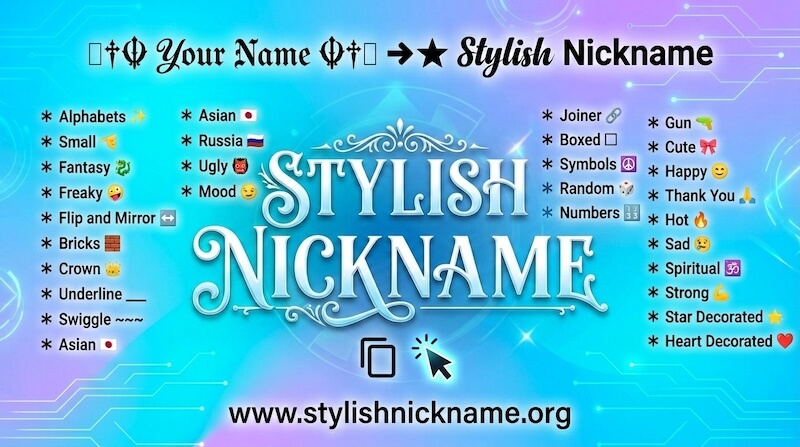
Here, you will find some of the subpages:
- Alphabets
- Small
- Fantasy
- Freaky
- Flip and Mirror
- Bricks
- Crown
- Underline
- Swiggle
- Asian
- Russia
- Ugly
- Joiner
- Boxed
- Symbols
- Random
- Numbers
- Mood
- Attitude
- Gun
- Cute
- Happy
- Thank You
- Hot
- Sad
- Spiritual
- Strong
- Star Decorated
- Heart Decorated
- and many more
How to Copy Stylish Nickname?
It is really easy to do. First of all, you have to type your name or nickname into Input Bar (✎ Type Something...).
As you do that or paste your name there, it will automatically creates many fancy names for you. Now, you have to just click on fancy name that you like.
As you click, it will show notification of "copied" in same fancy text and also show right side a notification with same fancy text that you click to copied.
When you see this notifications, it means you have copied the fancy name.
How to Make Your Nickname Bigger or Smaller?
It is really easy to do. It is one the feature you'll only find on this website. It lets you preview how your fancy name looks at
different font sizes.
Just look below the input bar — you'll see a Font Size with a slider. When you slide it to the right side, it will
make all your fancy names look bigger, and slide it to the left side to make it look smaller.
Keep in mind: The bigger or smaller fancy text you see, after using this tool. It only happens on this website as a preview.
It shows you how the text would look when it is bigger or smaller. It doesn't actually change the fancy text size, when you copy it and paste anywhere. If you paste it into
WhatsApp or messaging apps and send it to someone, the font size of fancy text will depend on that app or device that person is using, not what you have set here. This feature
is only for seeing fancy text in bigger and smaller sizes.
How to Use Built-In Nicknames?
It is really easy to use. Just, look at the bottom of your mobile device screen and you'll see a lightbulb icon named "Ideas". Click on
it and you'll see a ned page, there you will find collection of written nicknames.
It is for those users who are not sure what name or nickname to use, this is a great place for them. Here, you will find lots of nicknames to
choose and browse through - attitude names, broken heart names, girl names, and much more. Just click any nickname you like it
and it's automatically copied. Then paste it anywhere you want.
What is "Design It" Feature?
Whenever you generate fancy names, you would have noticed a "Design It" button in green color on the right side of fance names.
It is built-in function that helps you to create more creative names and nickname. When you click it, you will see a new
pop-up page called Flourish Nickname.
This is an extra layer of customisation for those people who wants more. you can click any fancy style and it will copy it instantly. If you want to generate more flourish nickname then
just click on "Regenerate It" button. It will generate more flourish fancy nicknames.
Flourish Nickname Options (Kawaii, Gamers, and More)
In Flourish Nickname pop-up page, you'll also see a Select Options menu. If you click it and you'll find many options like Kawaii
Flourish, Cute Flourish, Gamers Flourish, Sunglasses Flourish, and Sexy Flourish.
When you pick one of them for example Kawaii Flourish, it adds a kawaii face to the
start and end of each name. It makes everything look more expressive and fun. Click any style to copy it, and paste
it wherever you need.
